 Intermediate
Complete Guide to Wiring Your Model Railroad for DCC
Step-by-step guide to installing Digital Command Control on your model railroad
Understanding DCC: How Digital Command Control Works
Digital Command Control represents the most significant advancement in model railroading since the hobby began. Understanding how DCC works will help you wire your layout correctly and troubleshoot problems effectively.
The DCC Revolution
Traditional DC (Direct Current) control varies track voltage to control train speed—higher voltage means faster trains. This simple approach has a fatal flaw: all trains on the same track section respond to the same signal. Running multiple trains independently requires complex block wiring.
DCC solves this elegantly. The track carries constant full power (approximately 14-16 volts AC), with digital command signals superimposed on this power. Each locomotive contains a decoder that listens for commands addressed to its unique ID. One train can accelerate while another brakes, all on the same track, controlled by a single throttle or multiple throttles simultaneously.
Components of a DCC System
- . Command Station: The brain of the system, generates digital commands based on throttle input
- . Booster: Amplifies command station signals to power the track
- . Throttle: Handheld or smartphone interface for controlling trains
- . Decoders: Installed in each locomotive, interpret commands and control motors
DCC Benefits for Model Railroaders
- Simplified Wiring: No block toggle switches or complex control panels
- Realistic Operations: Multiple trains operate independently
- Sound Capabilities: Modern decoders produce realistic locomotive sounds
- Lighting Control: Independently control headlights, cab lights, ditch lights
- Consisting: Electronically link multiple locomotives as one unit
- Programming: Customize acceleration, top speed, and sound effects
Choosing a DCC System
Entry-level systems ($150-300): - NCE Power Cab - Digitrax Zephyr - MRC Prodigy Express
Mid-range systems ($300-600): - NCE PowerHouse Pro - Digitrax Super Empire Builder
Advanced systems ($600+): - Digitrax Evolution - ESU ECoS - JMRI with various hardware
MODELTRAINS.AI can help you select the right DCC system based on your layout size, budget, and operational goals. Our AI assistant understands the nuances of each system and can provide personalized recommendations.
Planning Your DCC Power Districts
Proper power district planning is essential for reliable DCC operation and protects your equipment from damage. Think of it as the electrical blueprint for your railroad.
Why Power Districts Matter
A power district is a electrically isolated section of your layout fed by its own booster or circuit breaker. Districts serve two critical functions:
- . Short Circuit Protection: When a short occurs (derailment, metal object on track), only that district shuts down while the rest of the layout continues operating.
2. Power Distribution: Large layouts may need multiple boosters to provide adequate current. Each booster feeds its own district.
Sizing Your Districts
Each power district should be sized based on your booster's capacity and expected current draw:
- 5-amp booster: Supports 4-6 trains with sound, or 8-10 without
- 8-amp booster: Supports 6-10 trains with sound, or 12-15 without
For most home layouts, a single 5-amp booster with 2-4 circuit-breaker-protected districts provides excellent performance.
Logical District Boundaries
Consider these natural division points:
- Main Line vs. Yard: Yards see frequent switching with higher short circuit risk
- Staging Areas: Isolate hidden staging to prevent hidden problems affecting visible operations
- Reversing Sections: Wyes, turntables, and reverse loops need auto-reversing protection
- Room Boundaries: Simplifies troubleshooting and future expansion
Circuit Breakers vs. Boosters
You have two approaches to creating districts:
- . Multiple Boosters: Each district gets its own booster ($150-300 each). Provides maximum power but complex wiring.
2. Circuit Breaker Sub-Districts: One booster feeds multiple circuit breakers ($40-80 each). More economical for most layouts.
For layouts under 200 square feet, one booster with 3-4 circuit breaker districts is usually sufficient. Larger layouts benefit from multiple boosters.
Planning Tools
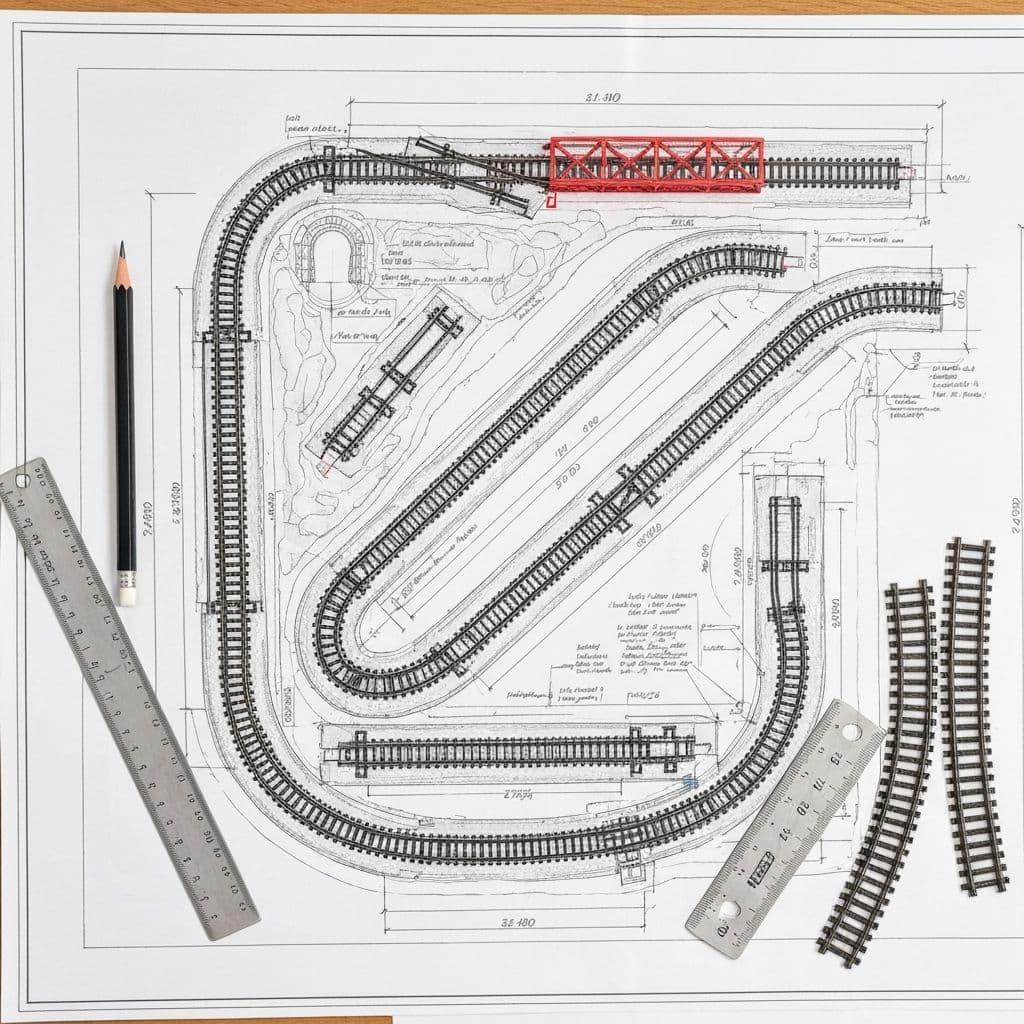
Sketch your track plan and overlay district boundaries. MODELTRAINS.AI's AI assistant can analyze your track plan and recommend optimal district configurations, calculating power requirements based on your expected train count and decoder types.
Installing the DCC Bus Wiring
The bus wiring forms the electrical backbone of your DCC layout. Properly installed bus wiring ensures reliable power delivery to every inch of track.
Understanding Bus Wiring
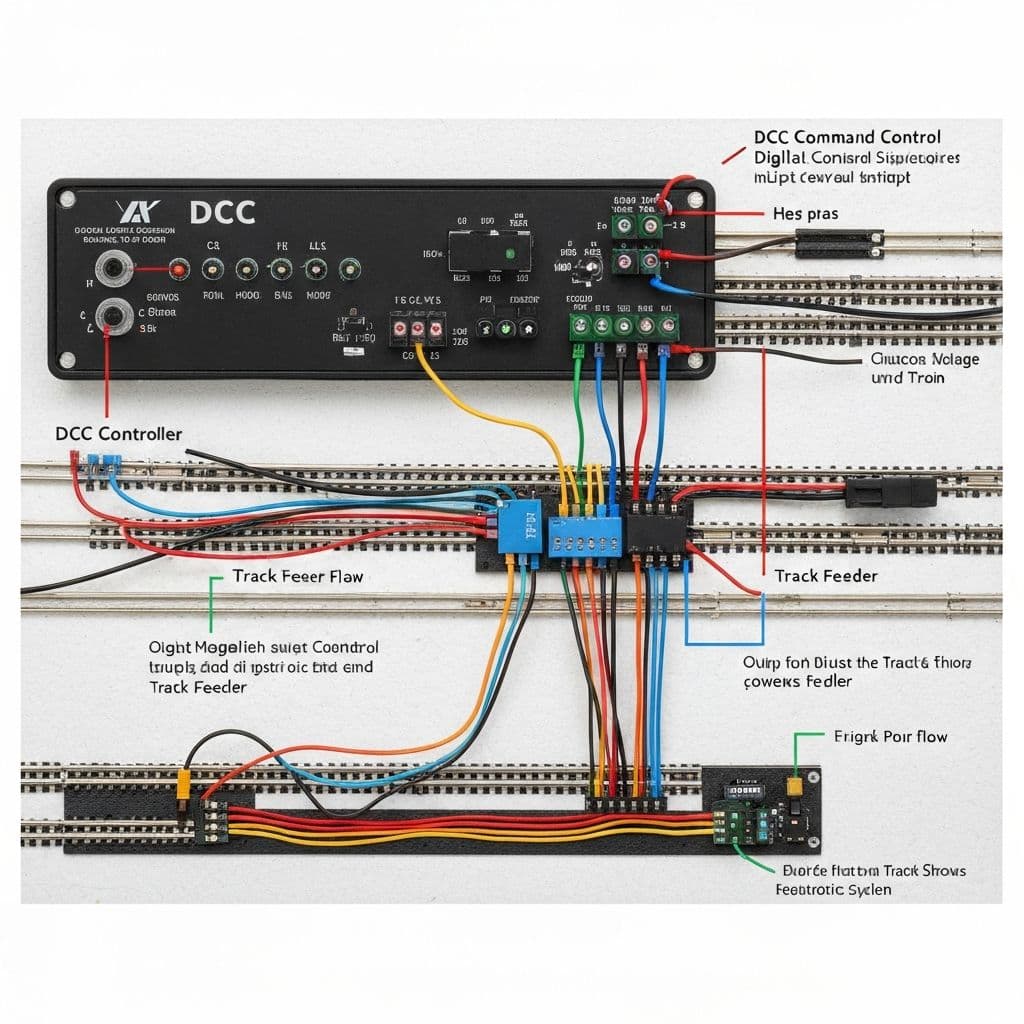
Think of bus wires as the main arteries delivering power around your layout. These heavy-gauge wires run beneath the layout, carrying full track power from your booster or circuit breakers to various track locations.
Wire Gauge Selection
Bus wire gauge depends on distance and current:
- 12 gauge: Recommended for most layouts, handles high current over long distances
- 14 gauge: Acceptable for smaller layouts under 100 square feet
- 16 gauge: Only for very small layouts or short runs
Never skimp on bus wire gauge. Voltage drop over undersized wire causes erratic operation, especially for sound-equipped locomotives that draw more current.
Bus Wiring Best Practices
- . Use Stranded Wire: More flexible and easier to route than solid wire
2. Color Code Consistently: Red for Rail A, Black for Rail B (or your chosen convention)
3. Solder All Connections: Crimp connectors work initially but fail over time from vibration
4. Run Wires Under Layout: Keep bus wires away from track to prevent interference
5. Create a Ring or Branch Topology: - Ring: Bus circles the layout, power approaches from both directions - Branch: Main bus with branches to different areas - Either works; rings provide redundancy
Step-by-Step Bus Installation
- . Plan your routing on paper, identifying mounting points
- . Cut bus wires to length, leaving service loops at connection points
- . Mount wires using cable staples or clips every 12-18 inches
- . Solder connections at terminal strips or junction boxes
- . Label each section for future troubleshooting
- . Test continuity before connecting to booster
Terminal Strips and Junction Boxes
Use terminal strips or barrier strips at: - Booster output connections - District boundaries - Major junction points
These create accessible test points for troubleshooting and make future modifications easier.
Common Bus Wiring Mistakes
- Running bus wire too close to track (causes interference)
- Using undersized wire for long runs
- Relying on mechanical connections instead of soldering
- Not maintaining consistent polarity (reversing red/black)
MODELTRAINS.AI's layout planning tools can generate wiring diagrams based on your track plan, showing optimal bus routing and feeder locations.
Connecting Track Feeders
Feeder wires connect your bus to the track rails, delivering DCC power where trains actually run. Proper feeder placement and connection ensures consistent performance everywhere on your layout.
The Feeder Frequency Rule
DCC requires more frequent feeders than traditional DC layouts. The rule of thumb: feeders every 3-6 feet of track.
Why so many? Rail joiners provide inconsistent electrical connections. Temperature changes, oxidation, and physical movement degrade conductivity over time. Feeders bypass joiners to deliver power directly to rails.
Feeder Wire Specifications
Feeders bridge from your heavy bus wire to the track:
- Wire Gauge: 22-24 gauge flexible wire
- Length: Keep short—under 12 inches ideally
- Colors: Match bus colors for polarity consistency
- Quantity: One feeder to each rail of a track section
Soldering Feeders to Track
Quality solder joints are crucial. Here's the proper technique:
- . Prepare the Rail: Clean with track eraser, then isopropyl alcohol
- . Tin the Wire: Apply solder to the bare wire end
- . Flux the Rail: Use liquid flux for better adhesion
- . Apply Heat: Touch iron to rail side (not top) for 3-4 seconds
- . Flow Solder: Touch solder to joint, not iron
- . Cool Naturally: Don't blow on joint
- . Clean Flux Residue: Wipe with alcohol
Alternative Connection Methods
If soldering intimidates you, alternatives exist:
- Micro Connectors: Snap-on connectors that grip the rail base
- Conductive Adhesive: Special glue with conductive particles
- Screw Terminals: Some specialty track has screw connections
However, soldered connections remain most reliable for permanent installations.
Feeder Placement Strategy
Strategic feeder placement minimizes total feeders needed:
- Place feeders at opposite ends of each track section
- Position near turnouts (often problem areas)
- Add feeders after any insulated rail joiners
- Include feeders in hidden track sections
Connecting Feeders to Bus
Several methods work for feeder-to-bus connections:
- . Suitcase Connectors: Quick but can fail over time
- . Solder Splices: Most reliable, requires access
- . Terminal Strips: Easy access for troubleshooting
- . Wire Nuts: Acceptable if twisted connections are soldered first
For professional results, MODELTRAINS.AI recommends soldering feeders to terminal strips, then connecting strips to the bus with appropriately sized wire.
Testing, Troubleshooting, and Best Practices
Before running trains, thoroughly test your DCC installation. Systematic testing prevents frustration and protects expensive equipment.
Pre-Power Testing
Never connect your booster until you've verified wiring with a multimeter:
- . Continuity Testing: Verify bus wire is continuous throughout
- . Short Circuit Check: No continuity between rails (would indicate crossed wires)
- . Polarity Verification: Both rails consistent polarity end-to-end
- . Feeder Confirmation: Each feeder shows continuity to its bus wire
Initial Power-Up Procedure
- . Remove all locomotives from the track
- . Power on the DCC system
- . Verify no short circuit indicators
- . Test track voltage with multimeter (should read 14-18V AC)
- . Place a single known-good decoder-equipped loco on track
- . Test basic operation before adding more equipment
Common DCC Problems and Solutions
Problem: Intermittent operation in certain areas Solution: Add feeders, clean track, verify rail joiner connections
Problem: Decoder detection fails Solution: Check for oxidation on wheels, clean track, verify feeder polarity
Problem: Booster shuts down frequently Solution: Look for metal debris, derailed wheels, or turned frogs (on electrofrog turnouts)
Problem: Sound cuts out or pops Solution: Usually power interruption—add more feeders, check for dirty track
Problem: Locomotive runs rough or hesitates Solution: Clean decoder-wheel electrical path, verify decoder programming, check motor connections
Advanced Troubleshooting Tools
- RRampMeter: Measures DCC track current, identifies problem locomotives
- JMRI Decoder Pro: Computer software for decoder programming and testing
- Logic Analyzer: For advanced signal analysis (usually not necessary)
Maintaining Your DCC System
Regular maintenance prevents problems:
- Clean track monthly (more often in dusty environments)
- Inspect solder joints annually
- Update decoder firmware when available
- Test circuit breakers periodically
When to Call for Help
If troubleshooting overwhelms you, resources abound: - Online forums (Model Railroad Hobbyist, Trainboard) - Local NMRA chapters - MODELTRAINS.AI's community forum - Our AI assistant for guided troubleshooting
MODELTRAINS.AI's AI assistant can walk you through systematic troubleshooting, asking questions about symptoms and suggesting specific tests to isolate problems.
Frequently Asked Questions
How often should I add feeder wires to DCC track?
For reliable DCC operation, add feeder wires every 3-6 feet of track. This compensates for poor conductivity at rail joiners and ensures consistent power delivery throughout your layout.
What gauge wire should I use for DCC bus wiring?
Use 12 or 14 gauge stranded wire for DCC bus wiring. Heavier gauge ensures minimal voltage drop over long runs. For feeders connecting bus to track, 22-24 gauge wire is sufficient.
Can I convert my DC layout to DCC?
Yes! DCC conversion primarily involves installing decoders in your locomotives and connecting a DCC command station to your existing track. Basic track wiring can often remain unchanged, though adding feeders improves reliability.
Why does my DCC booster keep shutting down?
Frequent shutdowns indicate short circuits. Check for derailed equipment, metal debris on track, turnouts with powered frogs, or crossed feeder wires. Circuit breakers protect your equipment during these events.